
ReadyCloud integrates with Amazon Seller accounts so you can sync your Amazon orders into ReadyCloud and manage shipping through ReadyShipper.
Once connected, your Amazon orders can be imported automatically, allowing you to manage shipment details such as carrier, service, package weight, and packaging while using the Amazon shipping options and rates available to your seller account.
Before You Begin
Before connecting Amazon, make sure you have:
- An active ReadyCloud account
- Access to your Amazon Seller Central account
- Your Amazon Seller login credentials
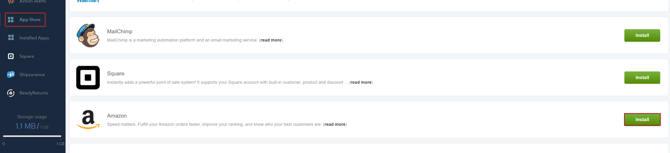
Log in to your ReadyCloud account at ReadyCloud.com.
From the left-hand menu, navigate to:
App Store > Amazon
Click Install to begin connecting your Amazon Seller account.
2. Allow ReadyCloud Access
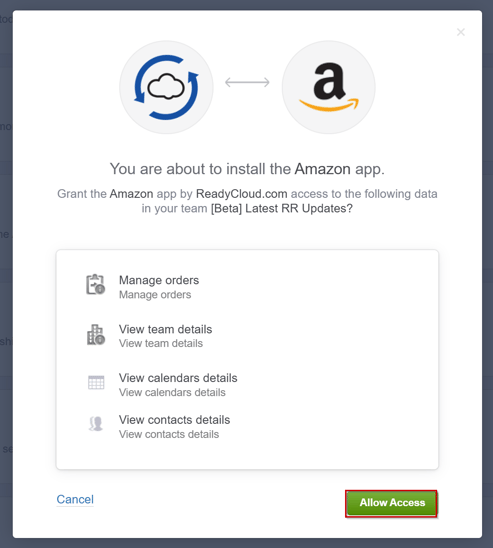
ReadyCloud will display the permissions required for the Amazon integration.
Review the permissions and click Allow Access to continue.
3. Name Your Amazon Connection
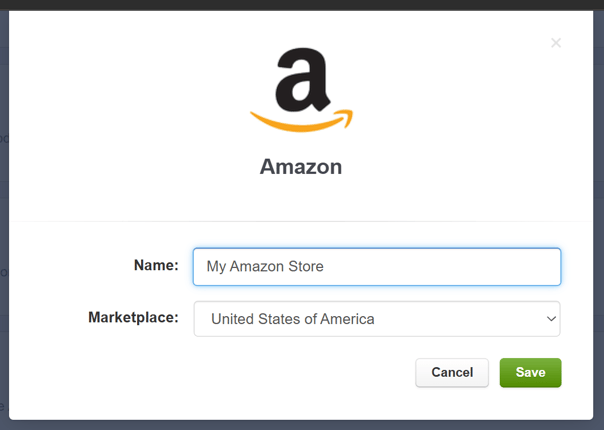
Enter a name for the Amazon connection.
We recommend using a name that makes the store easy to identify, such as your Amazon store or business name.
Example:
My Amazon Store
Select the appropriate Amazon marketplace, then click Save.
4. Sign In to Amazon Seller Central
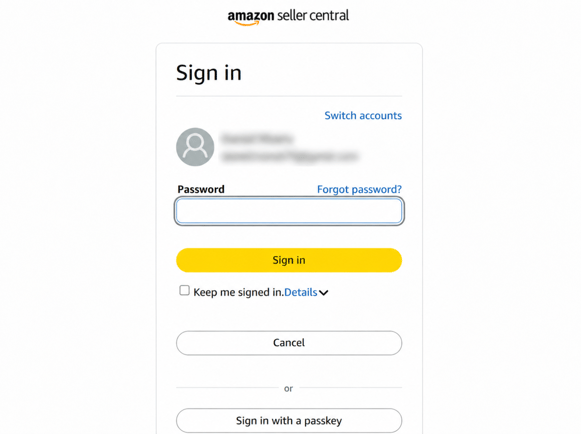
You will be redirected to Amazon Seller Central.
Sign in using the credentials for the Amazon Seller account you want to connect and follow the prompts from Amazon to authorize ReadyCloud.
5. Confirm the Amazon Connection
Once authorization is complete, return to ReadyCloud and navigate to:
Installed Apps > Amazon
Your newly connected Amazon store should now appear under the Amazon integration.

6. Confirm Your Amazon Orders Are Syncing
Navigate to Orders in ReadyCloud.
Amazon orders from the connected seller account will begin syncing into your ReadyCloud order list.
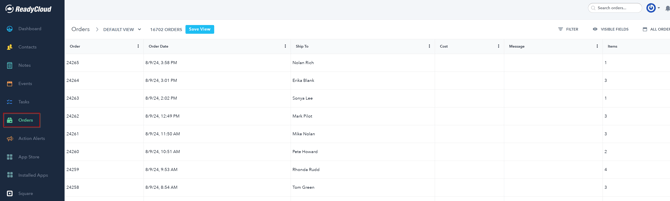
Once the orders are available in ReadyCloud, they can also be accessed from ReadyShipper for fulfillment.
7. Ship Your Amazon Orders in ReadyShipper
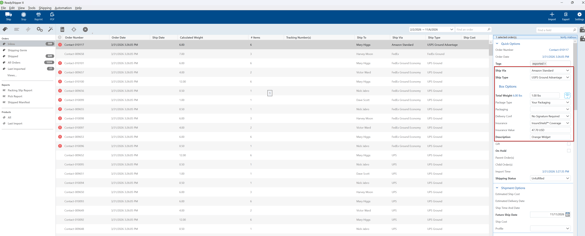
Open ReadyShipper and allow your orders to sync.
From ReadyShipper, you can review and update shipment information such as:
- Carrier and shipping service
- Package weight
- Packaging
- Shipment details
You can then rate and ship the order using the Amazon shipping services and rates available through your connected seller account.
Managing Your Amazon Connection
After setup, your Amazon integration can be found under:
ReadyCloud > Installed Apps > Amazon
From here, you can review the connected store and access available connection options.
Need Help?
If your Amazon orders are not syncing or you run into an issue connecting your account, contact ReadyCloud Support for assistance.