
ReadyReturns allows you to add custom equipment items that can be used in your Equipment Returns workflow.
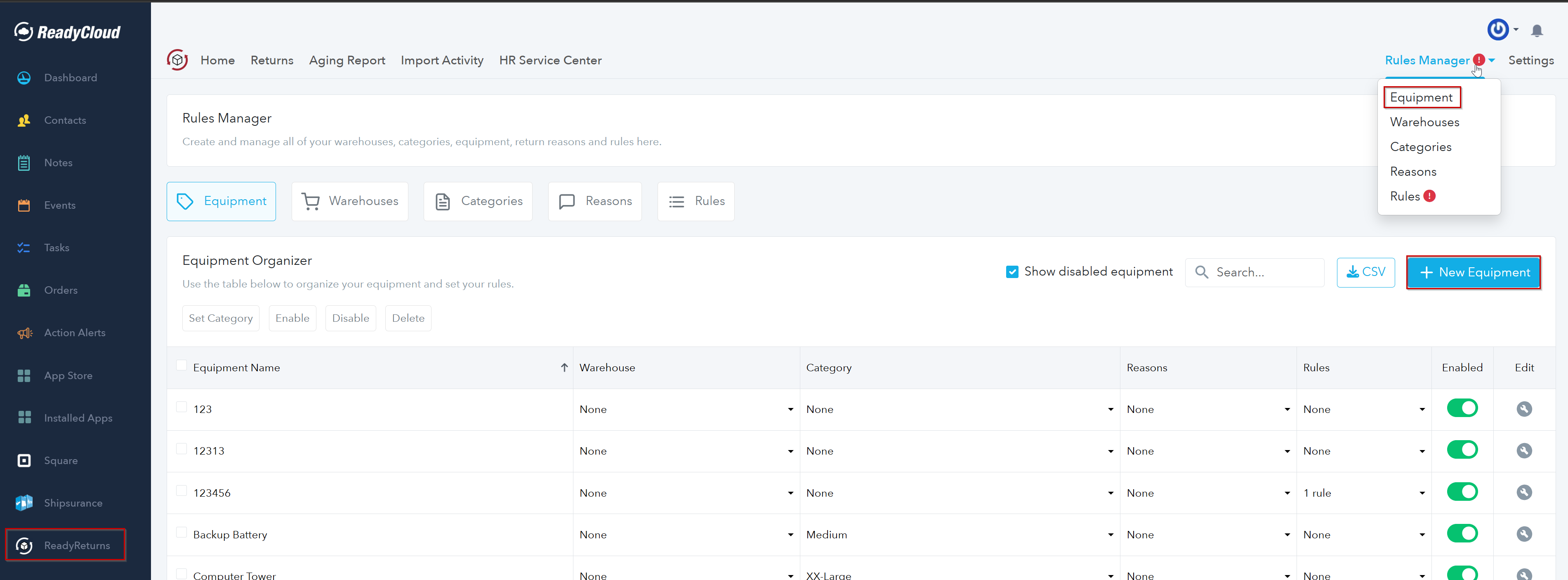
- In ReadyCloud, open ReadyReturns.
- Go to Rules Manager > Equipment.
- Click + New Equipment.
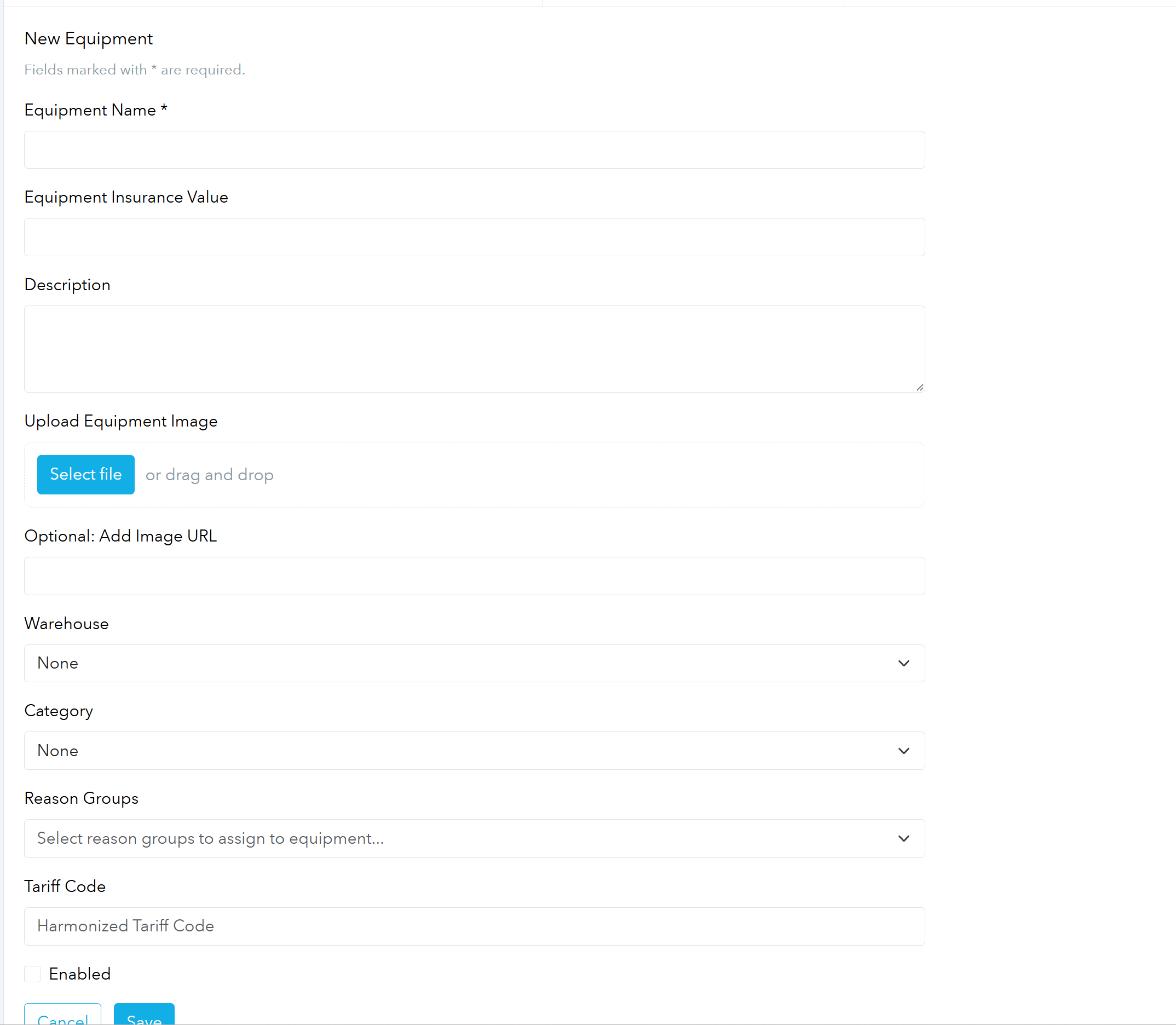
- Enter the Equipment Name.
- If applicable, enter an Equipment Insurance Value.
- Add a Description for the equipment.
- Optionally upload an Equipment Image or provide an image URL.
- Select the appropriate Warehouse and Category, if needed.
- Assign any applicable Reason Groups.
- Enter a Tariff Code if required.
- Check Enabled if you want the equipment available for use immediately.
- Click Save.
Once saved, the new equipment item will appear in the Equipment Organizer, where you can further manage its warehouse, category, reasons, rules, and enabled status.
Tip: Assigning a category can help keep equipment organized and may also tie into packaging or other return rules configured for your account.