
ReadyShipper allows you to void previously generated shipments directly from the Orders screen.
- Select the order or orders you want to void.
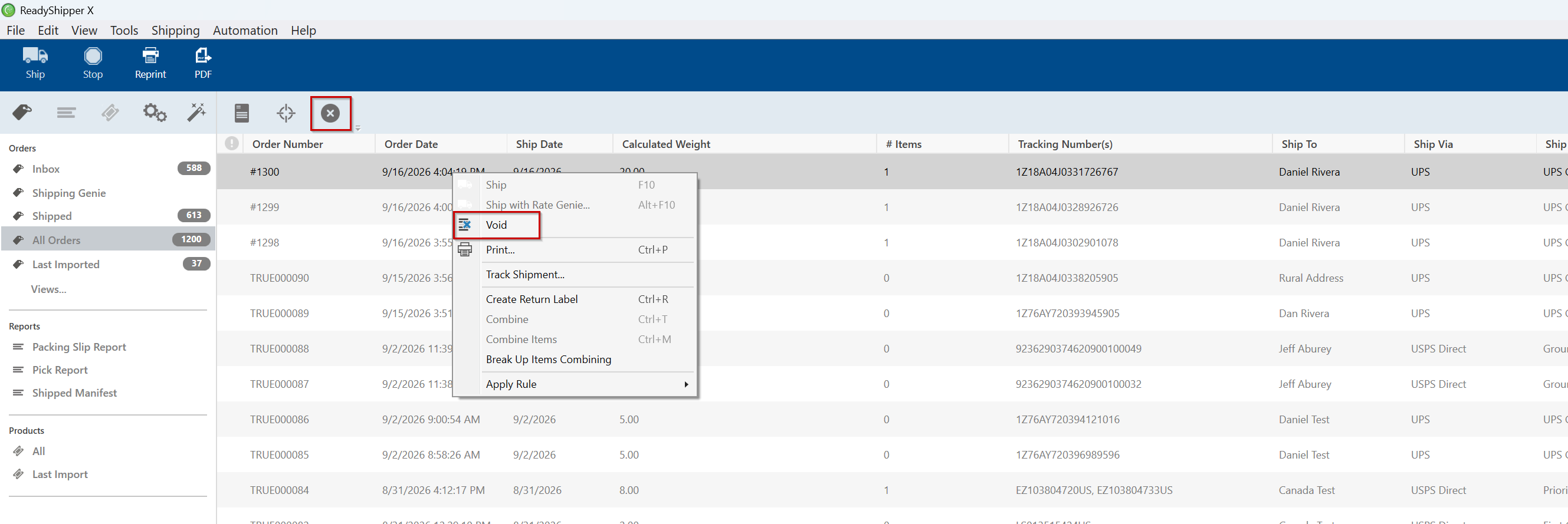
- You can void the selected shipment in either of the following ways:
- Right-click the selected order and choose Void.
- Click the Void button in the toolbar at the top of ReadyShipper.
- Confirm the void when prompted.
- ReadyShipper will submit the void request for the selected shipment.
Voiding a shipment cancels the generated label so it should no longer be used.
Note: Any postage refund associated with the voided label is handled by the carrier or shipping provider. Refund processing times can vary depending on the service used.