
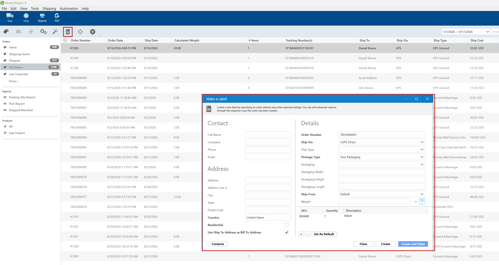
ReadyShipper allows you to manually create a shipping label without importing an order first.
- Open the New Label window using either of these options:
- Go to File > New Label
- Click the Label button near the upper-left corner of ReadyShipper
- Enter the recipient’s contact and shipping address information.
- Under Details, enter or confirm the shipment information, including:
- Order Number
- Ship Via
- Ship Type
- Package Type
- Packaging, if applicable
- Package dimensions and Weight, when needed
- Ship From location
- Add or review the shipment items shown at the bottom of the window.
- Once everything is complete, click Create or Create and Close to generate the shipment.
Tip: Double-check the shipping address, carrier service, package details, and weight before creating the label to help avoid carrier adjustments or delivery issues.